
Request A Demo

Thank you! Your submission has been received!
Oops! Something went wrong while submitting the form.

Construction projects generate a massive amount of information every day. Site requests, material deliveries, progress issues, safety observations, quality inspections, drawings, approvals, photos, and countless other pieces of information need to move between different members of the project team.
Yet on many projects, much of this information is still communicated through phone calls, emails, WhatsApp messages, spreadsheets, meetings and paperwork.
A mobile app can fundamentally change how project teams communicate, access information, and manage their daily operations.
Here are six key benefits.
Site engineers’ main job is to:
In other words, their value is primarily generated in the field, not behind a desk.
The objective, therefore, should be to keep site engineers onsite as much as possible so they can focus on their core responsibilities.
The problem is that because many contractors don’t have their own mobile apps, field engineers often need to move back and forth between the field and the office throughout the day to:
Individually, these tasks might seem small. But when they happen repeatedly throughout the day and across dozens of engineers, the accumulated productivity loss can become significant.
A mobile app allows engineers to handle paperwork and communicate with stakeholders without leaving the job site. In fact, they can often do a better job because the information they need is available right at their fingertips while they are standing where the work is actually happening.
When engineers repeatedly have to leave the site, several things happen:
The same principle applies to quality and safety engineers. They should be able to communicate data, document observations, and track issues while moving around the site rather than repeatedly returning to the office.
The project team often spends a surprising amount of time simply trying to find out what is happening. An engineer calls the procurement officer to check whether an LPO has been issued. Someone emails the warehouse to find out whether materials have been delivered. A Project Manager wants to know whether a particular quality issue has been resolved.
The traditional way of tracking requests and issues is chaotic, to say the least. It forces team members to rely heavily on phone calls, emails, and WhatsApp messages to communicate and retrieve information. This creates regular interruptions and forces people to continuously process and filter large amounts of information just to identify what is relevant to them. They also frequently walk into each other’s offices to ask questions, request information, or follow up on the status of an issue or request. These constant interruptions disrupt the work of both the person looking for the information and the person being asked to provide it.
Our attention is not designed to deal efficiently with information in this way all day long. Instead of asking someone for an update, the information should already be available. A mobile app allows team members to create and track requests and issues with much greater autonomy. They can simply open the relevant record and check its current status without interrupting another person.

This doesn't just save the time of the person looking for the information. It also saves the time of the person who would otherwise have to stop what they are doing to answer the question.
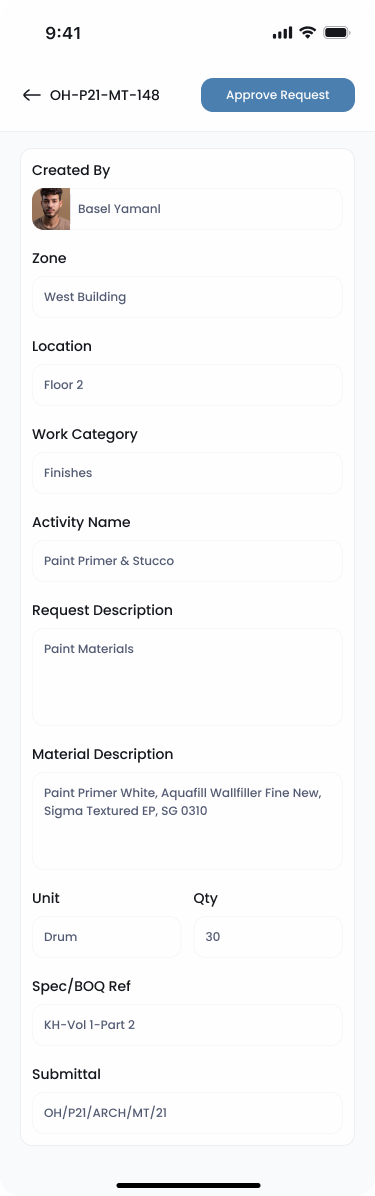
Construction moves quickly, and small delays in communication can eventually become delays in execution. Project and Construction Managers should not have to be sitting behind their desks to approve routine site requests. With a mobile app, they can review and approve requests wherever they are.
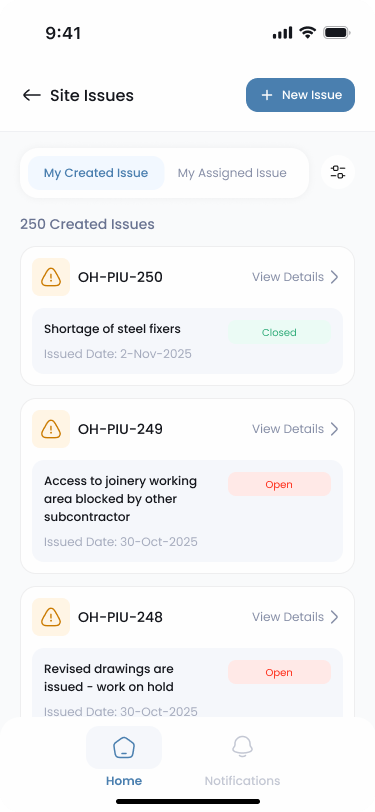
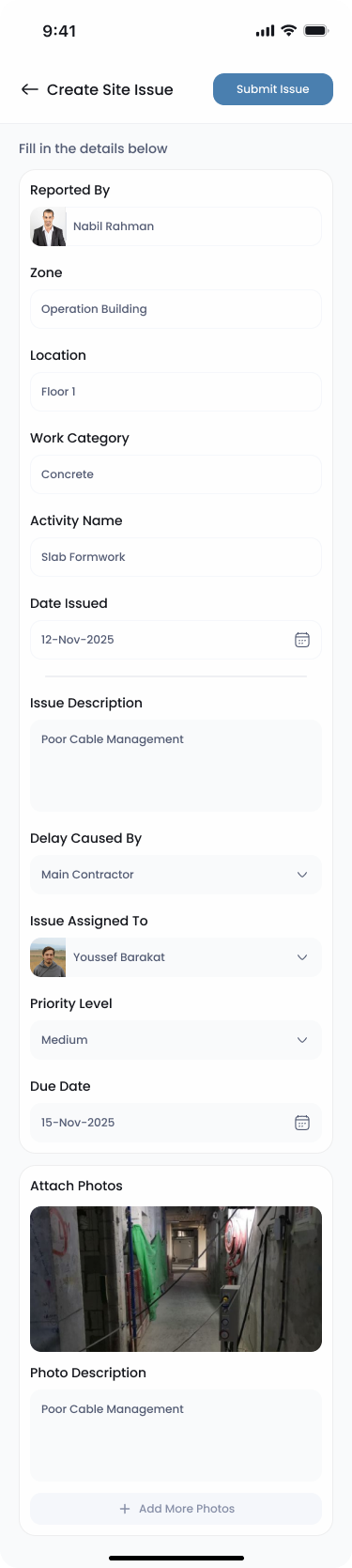
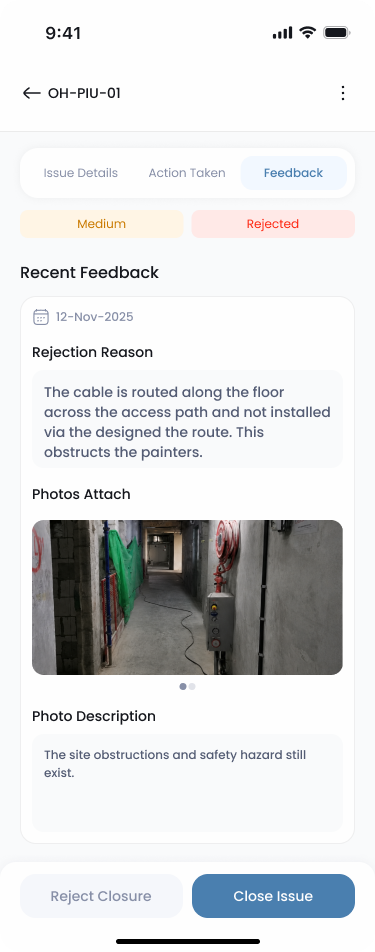
Similarly, the site team can create and close progress, safety, and quality issues anywhere on the job site. They can upload photos to describe an issue, document its location and condition, and later provide evidence of the corrective action taken to close it.
All of this can happen on the spot.
Instead of information moving from the site to the office and then back to the site, the entire workflow can happen where the work is being performed.
Every contractor should have their own exclusive native app for two main reasons.
First, every project is unique by nature. Project circumstances, company culture, local work practices, client requirements, geographical constraints, and contractual requirements can all influence how a project team needs to operate. A workflow that works perfectly for one contractor or project may not necessarily be the best workflow for another. Having an exclusive app allows the contractor to tailor workflows around its own organizational structure, procedures, and project requirements rather than forcing its operations to fit a generic process.
Second, having an exclusive native app sends a message to other stakeholders. It demonstrates that the contractor is actively investing in improving its work procedures and operations. More importantly, when implemented properly, these improvements can translate into better productivity, faster communication, and an improved rate of progress.

It is common for the site team to continuously interrupt the technical team to request the latest drawing or ask whether a particular submittal has been approved. It is also common for an engineer onsite to need a specific drawing detail before proceeding with the work. Even worse, sometimes work proceeds based on an outdated drawing, and the team only realizes it after significant time and effort have already been wasted. This is exactly the type of friction that mobile access can eliminate.
A mobile app allows the team to access project documents such as drawings, submittals, RFIs, and other relevant information directly from the field. An engineer standing at the work location can check the required detail and confirm that the latest approved version is being followed without having to leave the site or contact another team member. The information becomes available where it is actually needed: at the point of execution.
Most projects rely heavily on WhatsApp groups and emails to communicate information. The problem is that many recipients often have little or nothing to do with a particular message. Throughout the day, team members receive hundreds of messages, emails, notifications, photos, and updates. Their brains then have to continuously determine:
Is this relevant to me? Do I need to take action? Is this urgent? Can I ignore it?
When people are bombarded with information all day and constantly have to process and filter out irrelevant or low-priority data, productivity suffers.
A mobile app provides a much more structured approach. Each team member can have their own account, role, and permissions.
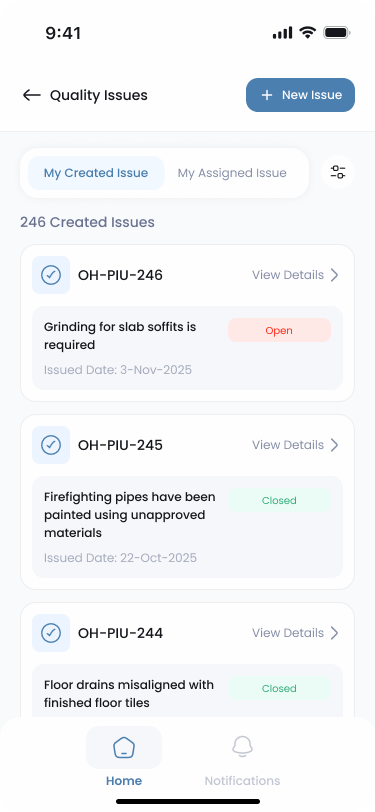
When you view a site request, for example, you can know:
The same principle applies to progress, safety, and quality issues. You can see when an issue was created, who created it, what action was taken, and who eventually closed or approved it. Permissions can then follow the contractor's organization chart and company procedures to determine who can create, view, edit, take action on, approve, or delete each type of record.
This helps control the noise of data for each team member by keeping people focused on the information and actions that are actually relevant to their roles. At the same time, it creates something that is often difficult to achieve through emails, spreadsheets, phone calls, and WhatsApp messages. This also significantly improves transparency and accountability.
Ultimately, a construction mobile app is about keeping engineers in the field, reducing unnecessary interruptions, giving people instant access to information, accelerating communication and approvals, and creating structured workflows that make responsibilities and actions clear. The goal is to build a better process.
