Oops! Something went wrong while submitting the form.
From P6 files to answers, in minutes
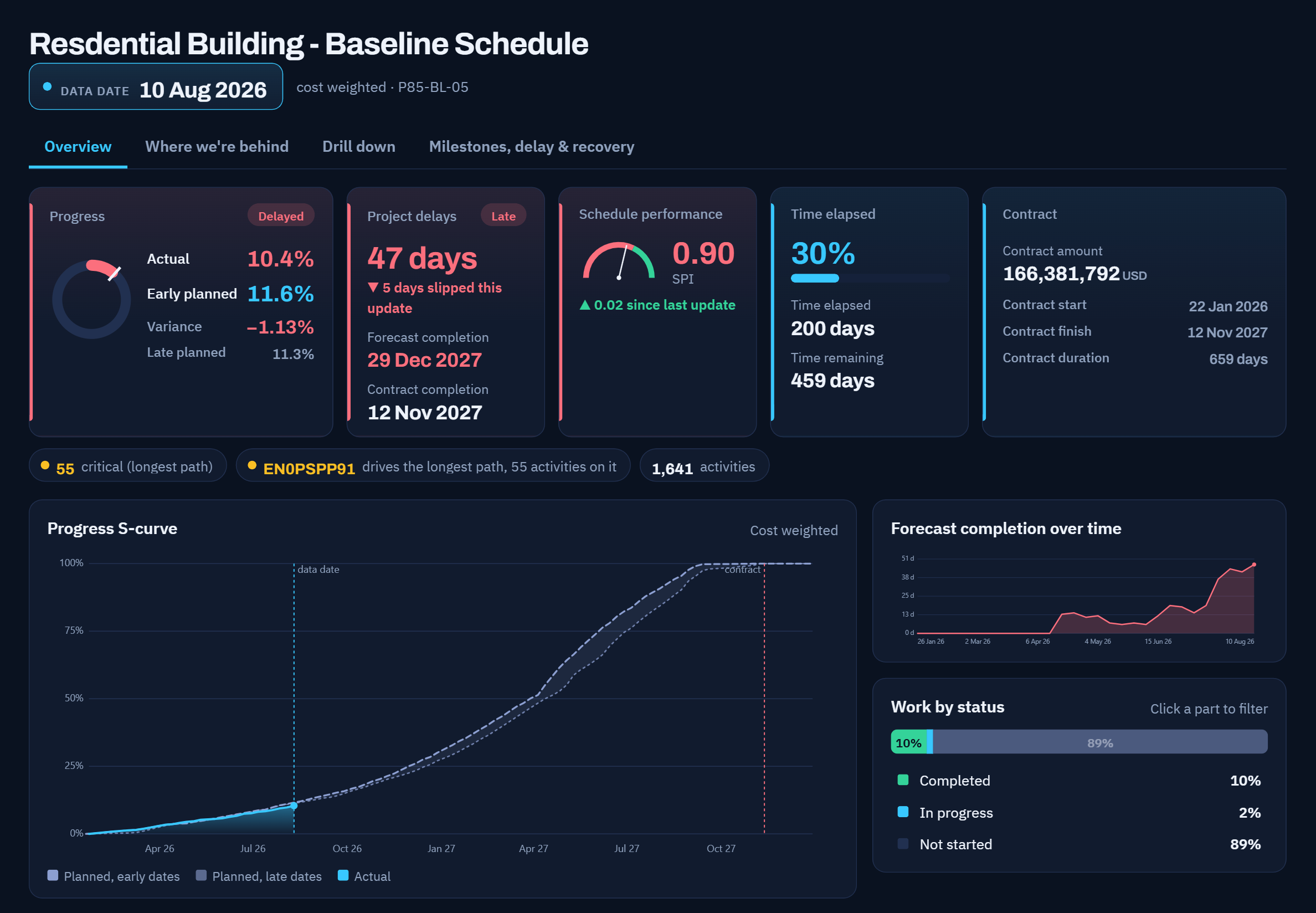
Upload your baseline and your weekly updates. NovyCore reads the XER files and gives you the whole picture: where the project stands, why it is late, which floors are behind, what it takes to recover, and how it looks rising floor by floor in 4D. Every figure is read from your own P6 data and matches P6 exactly.
Key Benefits
Everything you need to manage site issues effectively
Figures that match P6
Every date, duration and float is read from your XER files and recalculated with the same rules P6 uses. Nothing is typed in by hand.
Why the project is late
The Schedule detective names the root cause in plain words: which activity started late, what it delayed, and how many days it cost the finish date.
Floor by floor, trade by trade
Line of balance and vertical progress show where each trade is on each floor, the production rate it is running at, and where trades are about to collide.
What it takes to recover
A recovery program built from your own schedule: the logic changes, durations and production rates that bring the finish date back, checked before you commit.
Ready for the progress meeting
One click turns the update into the deck your meeting already follows: progress for the period, critical paths, delays and recovery actions, all from your schedule.
Core Features
Built with the latest technology for maximum reliability and performance
Update comparison
Compare any update with the one before it or with the baseline: activities added and removed, dates and durations moved, relationships and lags changed. Every change is listed against its activity, so nothing slips through between updates.
Schedule analysis
Longest path, schedule health, out-of-sequence work, negative float and the detective that explains the delay. Change a duration or a relationship in the what-if panel and see the new finish date at once.
Location-based progress
Line of balance with production rates per floor and month, slow and converging trades flagged, and every activity on every floor one click away.
4D simulation
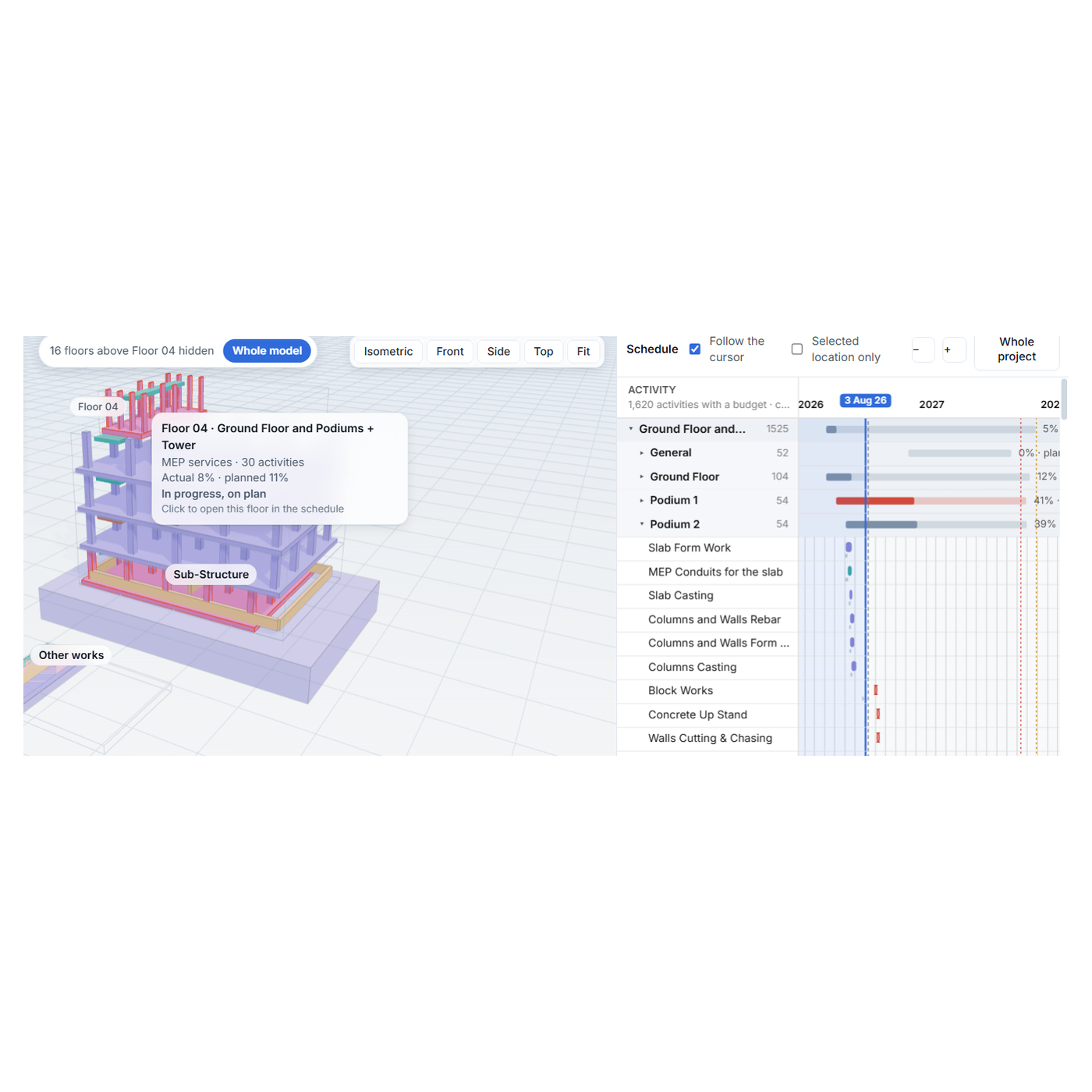
Play the project through time: the building rises with the schedule beside its Gantt, coloured by trade or by status, with the forecast after the data date shown as forecast.
Saw it in the webinar? See it on your own project.
Leave your details to request a demo. No preparation needed beyond the XER files.

Request a Demo
Thank you! Your submission has been received!
Oops! Something went wrong while submitting the form.